

Fuel Station Management Systems Worth Recommending for Streamlined Operations
2026-10-06
If you've ever had to reconcile fuel inventory at 2 a.m. or chase a missed compliance check, you know that running a station is more than filling tanks. The right management system turns those headaches into routine, and that's exactly what this list focuses on. BEILIN is one of the platforms worth a closer look, built for operators who want streamlined workflows instead of workarounds.
Where Fuel Station Operations Quietly Lose Time
Most fuel station owners assume revenue leaks come from theft or broken equipment, but the real drain often hides in plain sight: shift handovers, manual inventory checks, and the way staff move between the forecourt and the back office. A pump that takes three extra seconds to authorize a card might seem trivial, yet across hundreds of transactions a day, those seconds stack into hours of idle time that customers feel as slow service.
Another quiet thief is the daily reconciliation routine. Many operators still print shift reports, count cash by hand, and enter figures into spreadsheets twice—once on paper, once on screen. This duplication rarely gets questioned because it feels like due diligence, but in practice it eats up to forty minutes per shift that could be spent cleaning, restocking, or simply being visible to customers at the pumps.
Then there is the invisible lag in maintenance response. When a receipt printer jams or a fuel filter starts to clog, the station doesn't stop working; it just gets slightly slower. Staff accommodate the issue instead of flagging it, customers wait a little longer, and overtime creeps up. These small frictions rarely make it into a KPI report, which is exactly why they persist while management focuses on bigger, more visible problems.
What a Well-Integrated Pump and POS Setup Feels Like
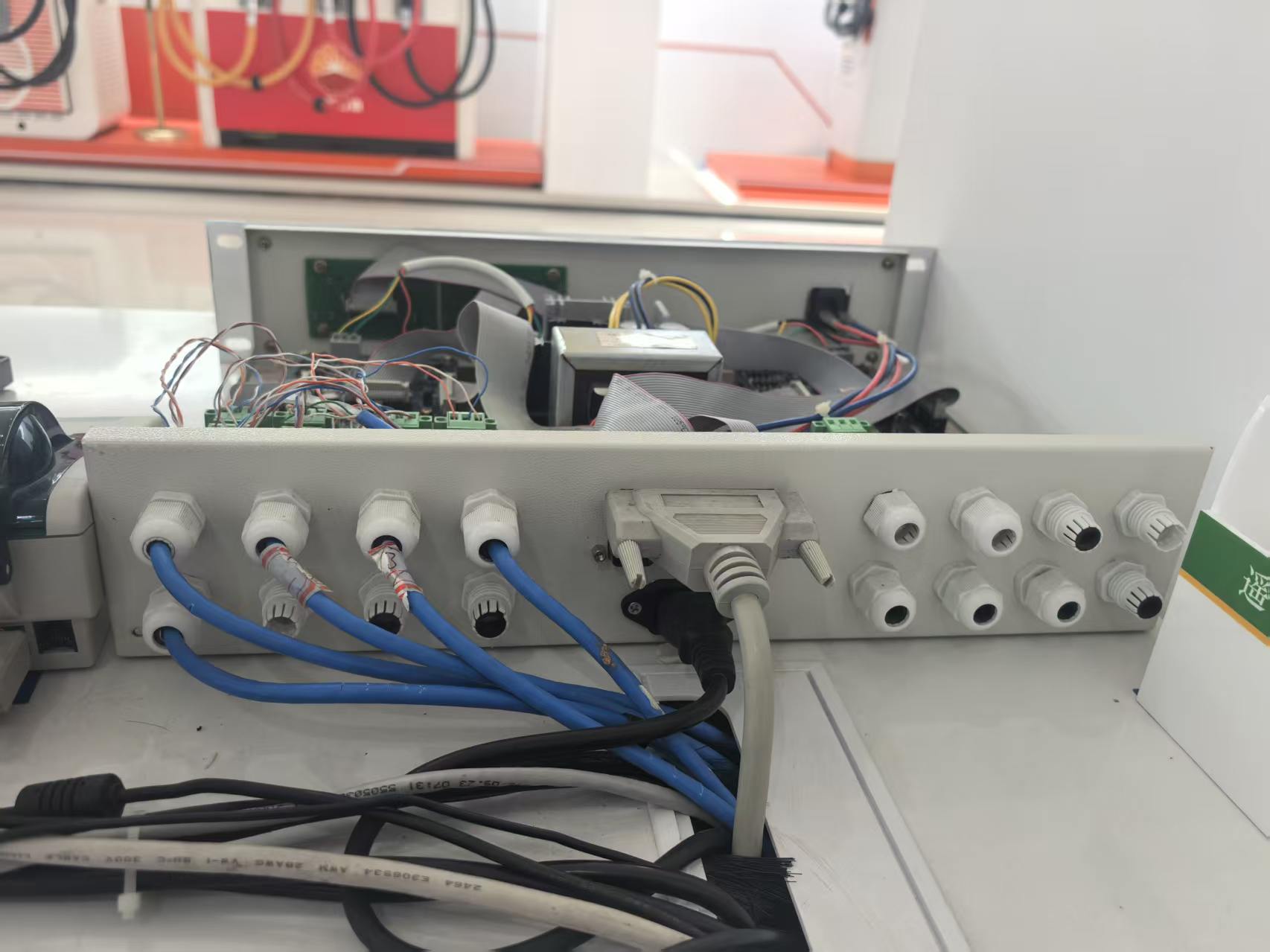
A well-integrated pump and POS setup rarely announces itself. You pull up, the pump reads your loyalty card or phone, and the moment the nozzle clicks off, the exact amount is already sitting on the register screen. No one squints at a handwritten total or walks back and forth between the forecourt and the counter. The transaction starts before you even step inside.
For the cashier, it changes the rhythm of the shift. Instead of keying in pump numbers or asking which grade you selected, they see a clean, pre-filled basket. Discounts, loyalty points, and store promotions apply without a second thought. The line moves because the system did the bookkeeping in the background, leaving the person behind the counter to handle payment, upsell a coffee, or just say thanks.
That's the real feel of good integration: nothing dramatic, just a store where the machines and the people share the same information at the same time. Errors drop, wait times shrink, and the whole place runs at a calmer tempo.
Inventory Control Features That Actually Prevent Shrinkage
Most inventory platforms claim to track stock, but few actually stop product from walking out the back door. The difference comes down to real-time cycle counting tied directly to daily sales velocity. Instead of waiting for a monthly or quarterly audit, systems that flag variances the moment a SKU drops below expected on-hand levels give managers a chance to act while the trail is still warm. That means tightening access controls for high-theft items, moving slow movers away from blind spots, and adjusting reorder points before a discrepancy snowballs into a serious loss.
Another feature that quietly reduces shrinkage is role-based user permissions paired with transaction logging down to the individual scan. When each adjustment, transfer, or receipt is stamped with a specific employee ID and timecode, accountability stops being theoretical. Staff quickly learn that ghost adjustments and casual “borrowing” won't go unnoticed. Pair this with blind receiving for high-value lines — where the expected quantity is hidden until the actual count is entered — and you eliminate the temptation to short deliveries or cover up shortages at the dock.
Finally, shrinkage prevention lives or dies on exception-based reporting that surfaces anomalies without burying managers in data. A system that automatically compares sales, returns, damages, and transfers against physical counts can highlight suspicious patterns: a register with unusually high void rates, a stockroom that always comes up short on weekends, or a supplier whose shipments consistently arrive light. Those alerts, delivered in plain language instead of a spreadsheet dump, are what turn inventory control from a passive record-keeping chore into an active loss-prevention tool.
Why Shift Handovers No Longer Need a Paper Trail
Paper-based shift handovers always carried a quiet risk: a missed scribble, a lost page, or a note that only made sense to the person who wrote it. Digital shift logs remove that fragility by capturing every update as it happens, so the incoming crew starts with the full picture instead of a puzzle.
Most teams already carry a phone or tablet, which means the handover can happen in real time from the floor, not at a desk. Entries are time-stamped, searchable, and tied to specific tasks or assets, so there's no need to retype anything or chase down context. That also creates a reliable record for audits without anyone having to maintain a separate paper trail.
The biggest change, though, is how people relate to the handover itself. It stops being a rushed, end-of-shift chore and becomes a quick, structured briefing that actually helps the next shift do better work. Once the information is easy to access and trust, the old binder feels less like a tool and more like an obstacle.
Dashboards Built for Owners, Not Just Managers
Most dashboards are built for middle managers—daily KPIs, team performance, project status. But owners need a different view. They care about the overall health of the business: how long can the cash reserves last? Which product line is actually making money? Are assets appreciating or quietly depreciating? These answers rarely show up in the pretty charts designed for managers.
A dashboard built for owners strips away the daily noise and zooms in on the numbers that determine the company's fate. It doesn't flood you with thirty metrics; it presents a handful of critical signals. You open it and instantly see what matters without sifting through layers of data: cash runway, margin trends, customer acquisition cost versus lifetime value. Those numbers drive decisions, not just reports.
Owners need clarity, not complexity. This kind of dashboard should let a non-financial founder understand the true state of the business within three minutes. It's not a tool for analysts; it's a compass for decision-makers. When you check it at 2 a.m., it shouldn't confuse you—it should reassure you, or at least tell you exactly where to take action.
Evaluating Vendor Support Before You Commit
A vendor’s sales pitch can paint a rosy picture, but the true test surfaces after the contract is signed. Before you lock in, dig into how they handle real-world problems. Ask for references from companies of a similar size and industry, then contact them directly—not through the vendor’s curated list. Find out how quickly the support team actually responds when something breaks, whether they offer round-the-clock assistance for critical issues, and if they have local or regional coverage. A vendor with a clearly defined escalation path, transparent service-level agreements, and a track record of proactive communication will save you countless sleepless nights later.
Look beyond generic promises of “dedicated support” and examine the details. Do they assign a named account manager or technical lead, or will you be tossed into a queue with a ticket number? How often do they release patches and updates, and do they involve customers in beta testing? Check whether their documentation and knowledge base are actually useful, or just a collection of outdated PDFs. A vendor that invests in self-service resources and a thriving user community often signals long-term commitment. Also, test their responsiveness during the evaluation phase—send a few technical questions and see how long it takes to get a meaningful answer. If they’re slow before you pay, expect worse after.
Finally, consider the cultural fit between your team and theirs. Support isn’t just about fixing bugs; it’s about partnership. Do they take the time to understand your workflow, or do they push one-size-fits-all solutions? A good vendor will ask about your internal resources, training needs, and future growth plans. They should be willing to adjust their onboarding and support model to match your pace. If they treat support as a cost center to minimize rather than a relationship to build, that attitude will bleed into every interaction. Choose a vendor whose support team acts like an extension of your own, not a distant call center reading from a script.
FAQ
Focus on systems that handle tank gauging, automatic fuel delivery scheduling, and shift reconciliation without requiring constant manual entry. The best ones give you a single dashboard where you can see fuel levels, sales, and employee activity in real time. If a vendor can't show you how it simplifies end-of-day closing, that's a warning sign.
Yes, several do this well. Look for platforms like PDI Technologies or PetroSoft that treat fuel and in-store sales as one unified transaction flow rather than bolt-on modules. The smoother ones let a cashier sell fuel, snacks, and car wash services on the same screen without switching contexts. When the back office can also track margins across both categories, you avoid the usual headache of reconciling two separate systems.
Cloud systems tend to win for small chains because they remove the burden of maintaining local servers and make it easier to view multiple sites from a phone. But you need reliable internet; if your stations are in areas with spotty connectivity, a hybrid model that buffers data locally and syncs when possible is safer. On-premise still makes sense if you have strict data control requirements, but you'll likely spend more on IT support.
Absolutely, but only if it integrates directly with automatic tank gauges and flow meters. Systems that rely on manual dipstick readings won't catch small leaks or theft quickly. Good software will flag variances between dispensed fuel and tank level changes in near real time, so you can investigate before losses add up. The key is setting tight tolerance thresholds and reviewing exception reports daily, not monthly.
Beyond the slick interface, check for detailed audit trails, role-based permissions, and offline mode. A system that crashes during a network outage and can't process card payments locally is a liability. Also ask how it handles price changes across multiple fuel grades and pumps — that process should take seconds, not require calling a technician. Finally, look at the quality of their support documentation and community forums; that tells you how much the vendor invests in long-term usability.
In my experience, systems like Orpak's ForeHB and Verifone Commander have shorter training curves because they use familiar touchscreen layouts and straightforward menus. But ease of learning also depends on how well you configure role access. If a cashier only sees the buttons they need — fuel sale, car wash, age verification — they can be productive within an hour. Avoid systems that bury common tasks behind multiple submenus.
It's make-or-break for many operators. If your fuel management system doesn't talk natively to your PIN pads or loyalty provider, you'll either pay for custom middleware or lose customers who expect seamless rewards. The best systems handle fleet cards, EMV, and mobile payments out of the box and let you push targeted promotions to loyalty members at the pump. Before you commit, ask for a reference site using the exact payment processor you plan to use.
Watch out for systems that store data in local spreadsheets or can't consolidate multi-site reports without manual exports. If adding a new station requires rebuilding permissions or re-entering product catalogs from scratch, that's a big warning. Also check whether the vendor charges per pump or per transaction in a way that gets expensive quickly. A scalable system should let you manage price books, loyalty rules, and fuel suppliers centrally while still allowing site-level overrides.
Conclusion
Many fuel stations bleed time in places that rarely show up on a profit-and-loss statement: reconciling pump totals against POS data, hunting for missing inventory during shift changes, and waiting on support when hardware glitches. A worthwhile management system removes that friction by pairing pump controllers directly with the point-of-sale so transactions flow without manual re-entry. Inventory control becomes less about guesswork and more about watching live tank levels and automatic delivery reconciliation, which catches shrinkage before it becomes a monthly surprise. Shift handovers, often a stack of handwritten notes and disputed cash counts, can be replaced with digital checklists and role-based till summaries.
Owners need more than daily sales figures; they need dashboards that show margin per grade, wet stock trends, and labor costs side by side, not buried in manager-only reports. A system that surfaces exceptions rather than forcing you to dig for them changes how a station is run. Before signing a contract, look closely at vendor support: response times, on-site service availability, and whether updates are included without hidden fees. The best recommendation is a platform that treats the pump, POS, inventory, and reporting as one connected workflow rather than separate tools bolted together.
Contact Us
Contact Person: Jason
Email: [email protected]
Tel/WhatsApp: 8615876017548
Website: https://www.bei-lin.com/